Safety doesn’t start with policy—it starts with conversation. And in high-risk industries like construction, manufacturing, and field services, the most effective safety conversations happen during brief, focused sessions known as toolbox talks. But organizing these meetings consistently is a challenge when teams are stretched thin and documentation feels like overhead.
That’s where a well-designed toolbox talk template in Word becomes more than just a document—it becomes a productivity and compliance engine.
Unlike generic PDFs or rigid online forms, a Word-based template offers the right balance of structure and flexibility. It’s editable, shareable, and integrates seamlessly into existing workflows. Whether you’re a safety officer, site supervisor, or operations manager, mastering the use of a Word template can transform how safety is communicated—and retained.
This guide breaks down exactly how to build, customize, and deploy an effective toolbox talk template in Microsoft Word, including real examples, common pitfalls, and time-saving strategies.
Why a Word-Based Toolbox Talk Template Works
Microsoft Word remains the de facto standard for workplace documentation—not because it’s flashy, but because it’s accessible. A toolbox talk template in Word offers distinct advantages over alternatives:
- No login or app required – Anyone with Word can open, edit, and print it.
- Version control is simple – Save as “Toolbox Talk – Roof Work – June 12” and archive with clarity.
- Customizable formatting – Add company logos, color-code hazards, or insert site-specific diagrams.
- Offline usability – Critical on remote job sites with spotty internet.
- Compatible with printing and signatures – Required for OSHA and audit purposes.
While digital platforms offer automation, they often add complexity. For teams that need consistency without tech friction, Word is the quiet champion.
Real-World Example: A mid-sized electrical contracting firm reduced pre-shift safety prep time by 40% after switching from handwritten logs to a standardized Word template. Supervisors now spend 5 minutes editing the template instead of 20 drafting from scratch.
Key Elements of an Effective Toolbox Talk Template
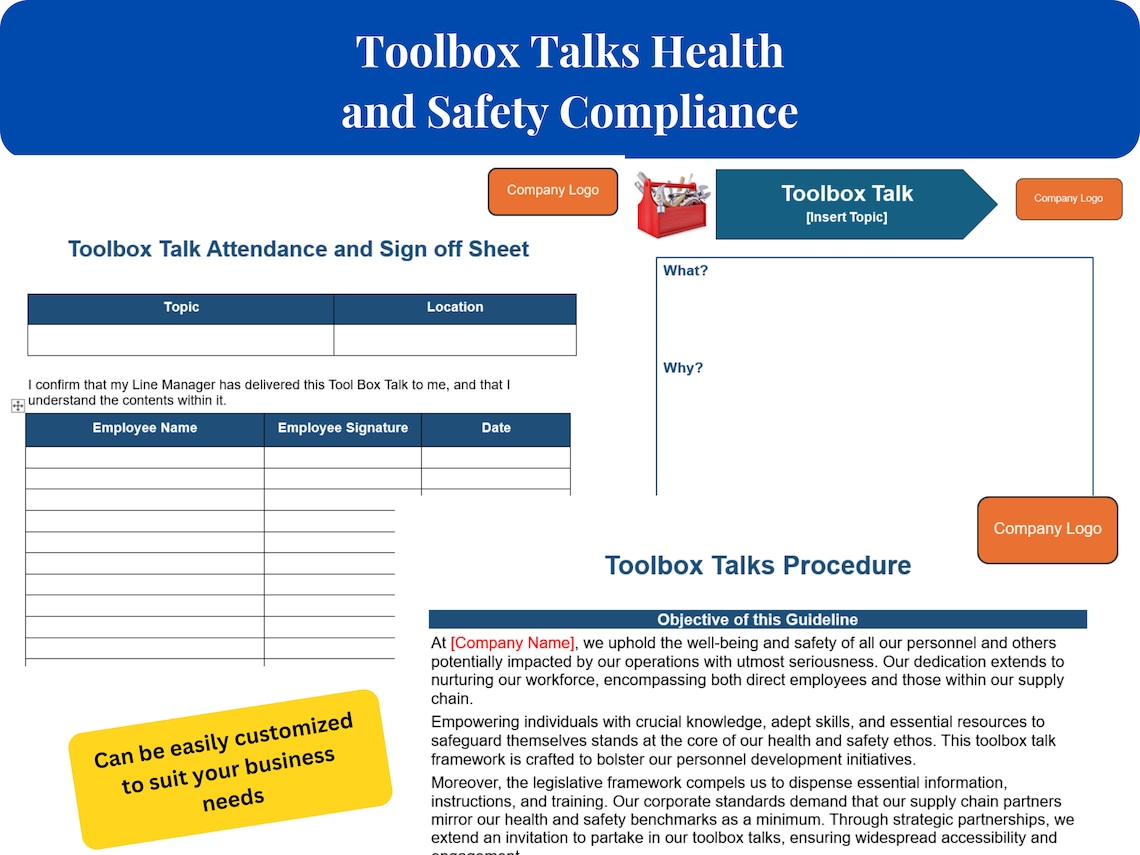
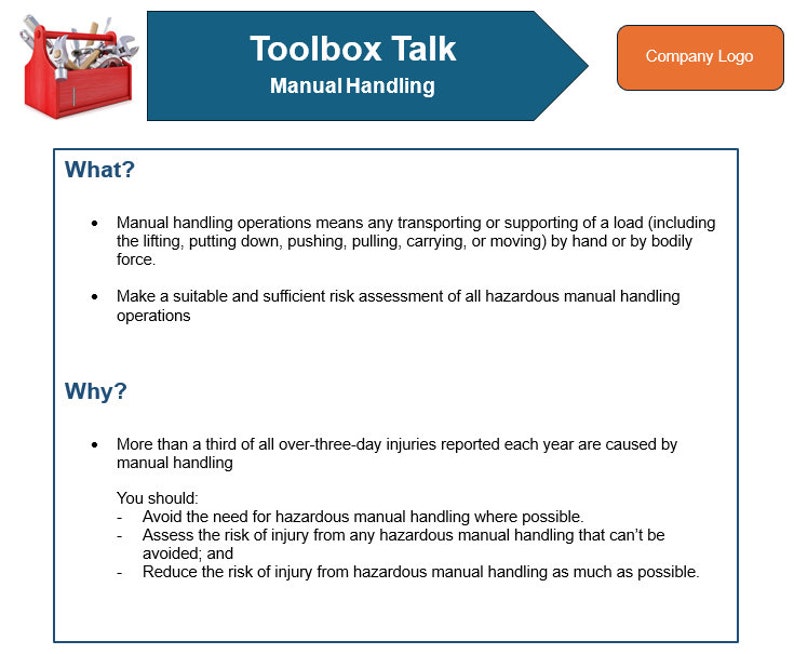
A strong template isn’t just a blank form—it’s a guided framework that ensures no critical step is missed. Here’s what every toolbox talk template in Word should include:
#### 1. Header Information - Company name and logo - Date and location of the talk - Supervisor/conductor name - Crew or team members present (with signature line) - Job/task being discussed
#### 2. Topic and Objective Clearly define the safety topic (e.g., “Working at Heights” or “Lockout/Tagout Procedures”) and what the team should learn.
#### 3. Key Hazards List the 3–5 primary risks associated with the task. Use plain language: > “Falling from unprotected edges,” not “Fall hazard due to lack of perimeter protection.”
#### 4. Safe Work Practices Outline the steps workers should take to stay safe. Be specific: > “Inspect harness and lanyard before each use,” not “Use PPE properly.”
#### 5. Emergency Response Reminder Include a short note on what to do if something goes wrong: > “If a fall occurs, activate site emergency protocol and call 911 immediately.”
#### 6. Sign-Off Section Mandatory for compliance. Each attendee should sign and date to confirm participation and understanding.
#### 7. Optional: Visual Aids Section Leave space for a sketch or attach a printed image. A simple diagram of a ladder setup or confined space entry point can reinforce the message.
Common Mistakes That Undermine Effectiveness
Even with a solid Word template, poor execution can render a toolbox talk meaningless. Watch for these issues:
- Reusing the same template without updates – A “general safety” talk every week signals complacency.
- Skipping the sign-in sheet – No record = no proof of training for OSHA.
- Reading verbatim from the template – Kills engagement. Use it as a guide, not a script.
- Holding talks in noisy or distracting areas – If workers can’t hear, the message is lost.
- Not tailoring content to the day’s work – Talking about forklift safety when the crew is doing welding is a waste.
Pro Tip: Rotate toolbox talk leaders among experienced crew members. It builds ownership and improves retention.
How to Customize Your Template for Maximum Impact
A generic template downloaded from the web may cover the basics—but it won’t resonate unless it reflects your team’s reality. Here’s how to tailor it:
#### Add Site-Specific Details If your crews frequently work in confined spaces, include a checklist for permit verification. If you operate in cold climates, add a section on hypothermia signs.
#### Use Conditional Sections Create templates with optional blocks. For example: > [ ] Include Fall Protection Section > [ ] Include Electrical Safety Addendum
This keeps the core document clean while allowing expansion when needed.
#### Incorporate Your Branding Add your company’s safety motto, color scheme, or hazard rating system. When workers see “This is how we do it here,” compliance increases.
#### Link to Other Resources At the bottom, add a reference line: > “See Safety Manual Section 4.2 for full fall protection policy.”
This turns a one-time talk into part of a larger safety culture.
5 Ready-to-Use Toolbox Talk Template Options in Word
You don’t have to build from scratch. Here are five reliable sources for Word-based templates that are editable, professional, and practical:
| Option | Source | Best For | Cost | Customization Level |
|---|---|---|---|---|
| OSHA Quick Takes | U.S. Department of Labor | Regulatory alignment | Free | Moderate – basic fields |
| SafetyStore.com Templates | SafetyStore | Construction & industrial | $29–$99 | High – branded, detailed |
| SafetyCulture (iAuditor) Word Exports | SafetyCulture.com | Teams using digital audits | Free with account | Full – export to Word |
| Template.net Safety Packs | Template.net | Quick deployment | $19–$49 | High – modern formatting |
| Internal Development (DIY) | Your Safety Team | Full control & branding | Time investment | Complete |
Recommendation: Start with a free OSHA-based template, then refine it over time with real crew feedback. Avoid overpaying for “premium” packs that offer little beyond basic structure.
Integrating the Template into Daily Workflow
A template is only useful if it’s used consistently. Build adoption with these workflow tips:
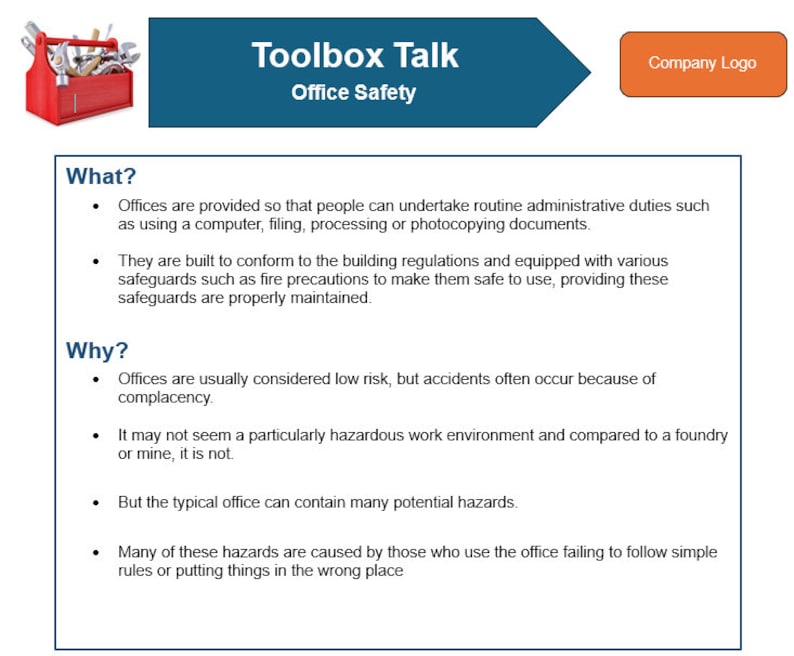
- Schedule it: Treat toolbox talks like mandatory meetings—block 10 minutes daily or per shift.
- Distribute in advance: Email the Word file the night before so supervisors can customize it.
- Print and post: Keep a physical copy visible on the site board after the talk.
- Archive digitally: Save completed talks in a shared folder labeled by date and site.
- Audit quarterly: Review past talks to identify recurring hazards or training gaps.
Example Workflow: Monday PM: Safety manager sends Tuesday’s template to site leads. Tuesday 6:50 AM: Supervisor edits topic to “Hot Work Permits” and prints. 7:00 AM: 8-minute talk held near the welding bay. Signatures collected. 7:30 AM: Scanned copy uploaded to “Safety Records/Q3” folder.
This kind of process turns safety from reactive to proactive.
What to Do When Workers Tune Out
Even the best template fails if the audience isn’t engaged. If your crew treats toolbox talks as a formality, try these tactics:
- Ask questions instead of lecturing – “What would you do if you saw a frayed extension cord?”
- Use real near-miss stories – “Last week in Dallas, a dropped tool almost hit a pedestrian. Here’s how we prevent that.”
- Keep it under 10 minutes – Attention drops sharply after.
- Rotate topics monthly – Follow a calendar: January = slips/trips, February = electrical safety, etc.
- Reward participation – Recognize the worker who spots the most hazards each month.
The goal isn’t just compliance—it’s behavior change.
Final Thoughts: Make Safety Communication Effortless
A toolbox talk template in Word isn’t a magic fix—but it’s one of the most practical tools available for keeping safety front of mind. When built with care and used consistently, it reduces risk, speeds up meetings, and creates a paper trail that protects your team and your business.
Don’t wait for an incident to refine your process. Open Word today, create or download a template, and run your next talk with confidence. The best safety cultures aren’t built on grand gestures—they’re built on 10-minute conversations, repeated every day.
Frequently Asked Questions
Can I use a toolbox talk template in Word for OSHA compliance? Yes. OSHA requires documented safety meetings, and a signed Word template meets that need as long as it includes date, topic, attendees, and content.
How often should toolbox talks be held? Weekly is standard, but high-risk tasks (like confined space entry) require a talk before work begins.
Should toolbox talk templates be different for each job site? They should be adjusted for site-specific hazards, but the core template can remain consistent across locations.
Can I convert a Word template to PDF after signing? Yes, and it’s recommended for archiving. Just ensure signatures are legible and saved.
Are digital signatures valid on Word toolbox talks? For internal use, yes. For legal or OSHA purposes, handwritten signatures are still preferred.
How long should a completed toolbox talk be kept on file? At minimum, one year. Some companies retain them for 3–5 years for audit and liability protection.
Can I reuse the same template for multiple topics? Yes—use the same format but change the content. Avoid using identical talks repeatedly, as it undermines credibility.
FAQ
What should you look for in Toolbox Talk Template Word: Streamline Safety Communication? Focus on relevance, practical value, and how well the solution matches real user intent.
Is Toolbox Talk Template Word: Streamline Safety Communication suitable for beginners? That depends on the workflow, but a clear step-by-step approach usually makes it easier to start.
How do you compare options around Toolbox Talk Template Word: Streamline Safety Communication? Compare features, trust signals, limitations, pricing, and ease of implementation.
What mistakes should you avoid? Avoid generic choices, weak validation, and decisions based only on marketing claims.
What is the next best step? Shortlist the most relevant options, validate them quickly, and refine from real-world results.