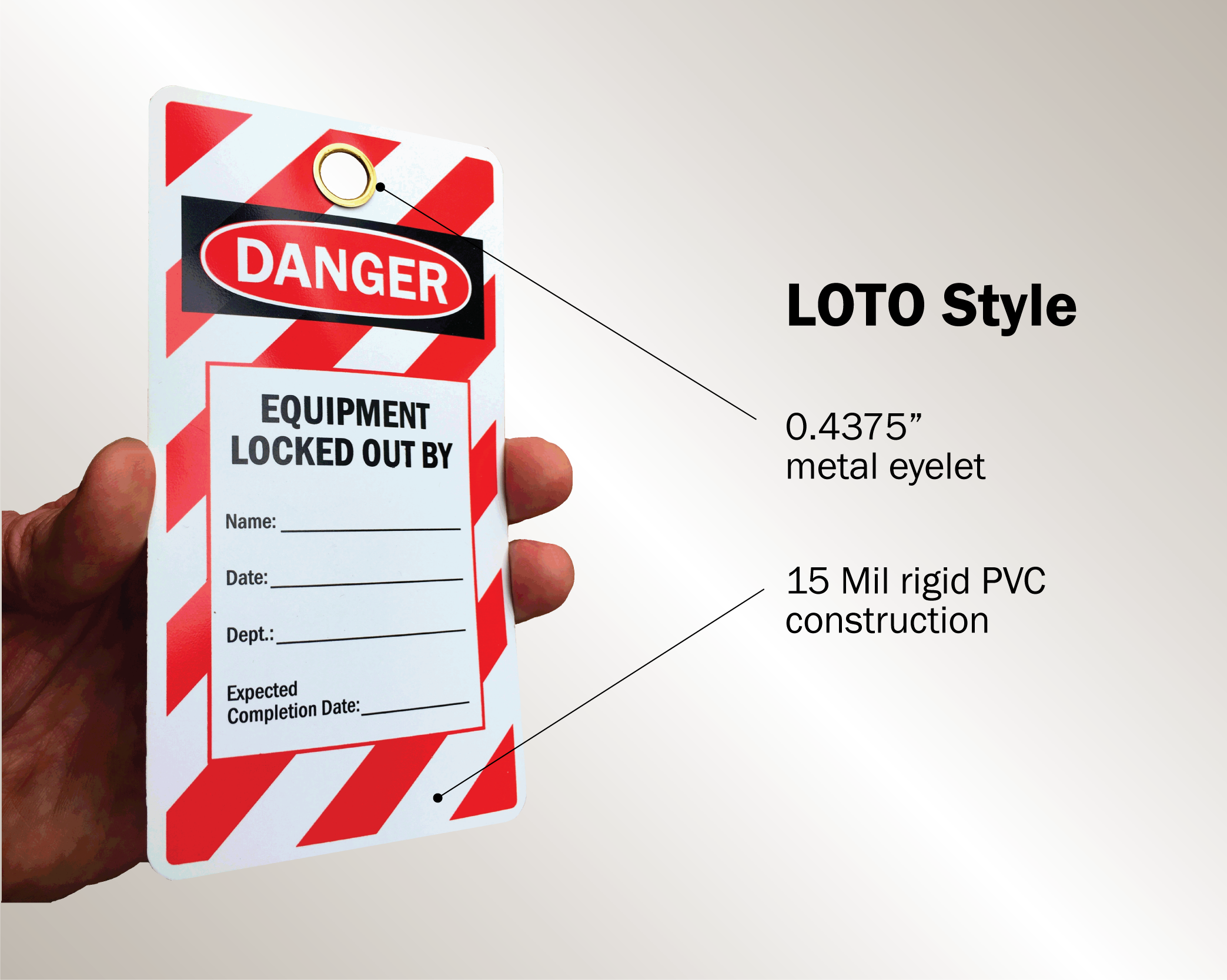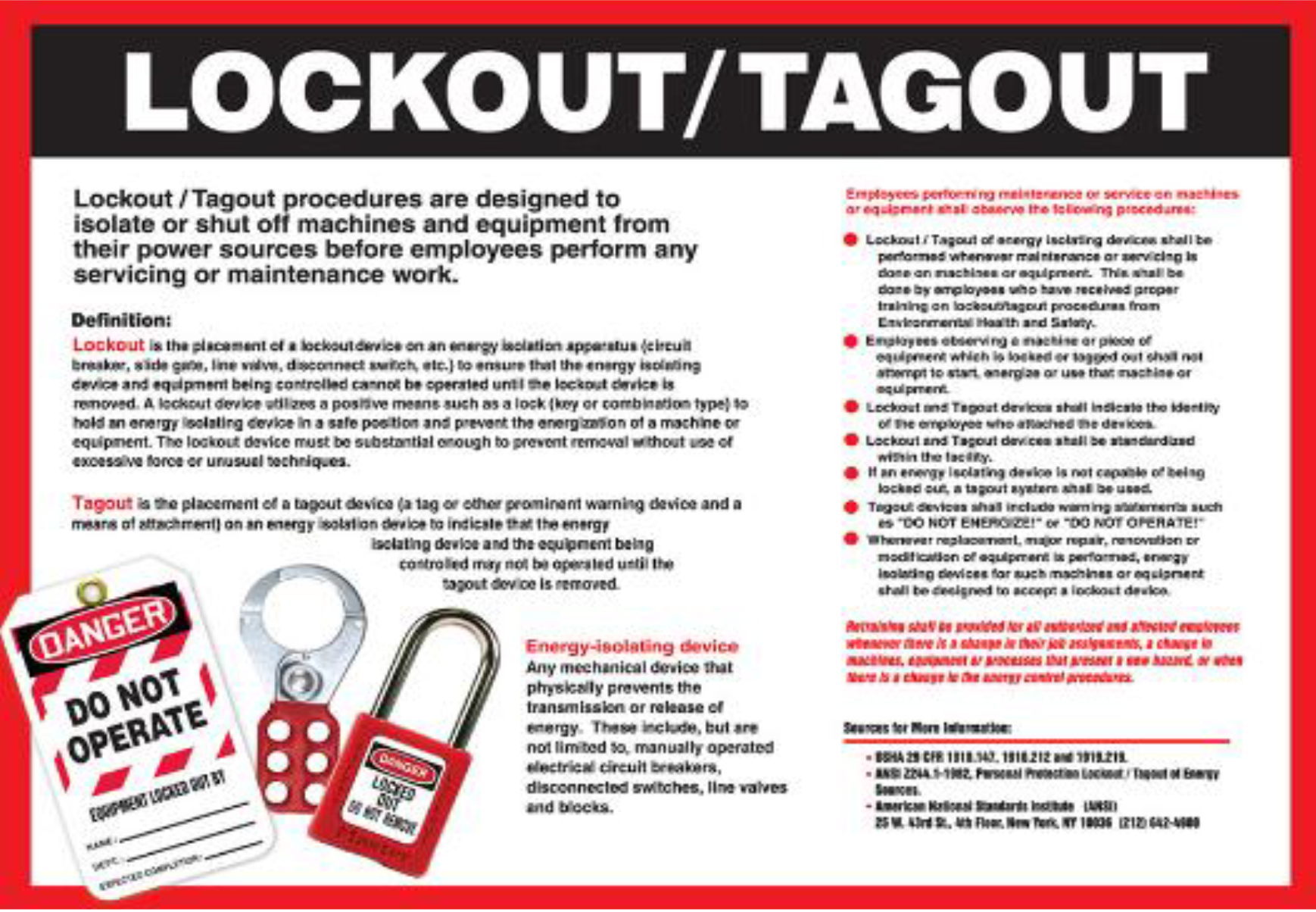
A PDF form labeled “Lockout Tagout” downloaded from a random site won’t protect your team if it doesn’t align with your machinery, energy sources, or workplace procedures. Too many facilities treat these forms as compliance checkboxes—print one, fill it out, file it, forget it. But when a maintenance tech bypasses a hydraulic press without verifying isolation because the form didn’t prompt a secondary check, that’s when accidents happen.
Effective lockout tagout (LOTO) forms PDFs aren’t just documents—they’re procedural anchors. They guide decision-making, enforce verification steps, and create a written trail that holds up under OSHA scrutiny. The best ones are tailored, actionable, and built for real use—not just archive storage.
Let’s break down what actually makes a LOTO form PDF valuable, where to find reliable templates, and how to adapt them for real-world safety.
What Should a Lockout Tagout Form PDF Include?
A useful LOTO form isn’t a blank field for a signature. It’s a step-by-step guide that reduces human error. A comprehensive form should include:
- Equipment identification: Name, ID number, or location of the machine
- Authorized employee details: Name, department, contact info
- Date and shift
- Energy types involved: Electrical, pneumatic, hydraulic, thermal, chemical
- Isolation points: Specific valves, breakers, or disconnects used
- Devices applied: Locks, tags, blanks, or blocks with IDs
- Verification of zero energy: Signature or checkbox confirming testing
- Clear release procedure: Steps and approvals to restore energy
Leaving out verification steps is one of the most common oversights. A form might ask, “Was the lock applied?” but skip the critical question: “Was the circuit tested with a voltage meter?”
Example: At a Midwest packaging plant, a technician locked out a conveyor but didn’t test the control panel. Residual voltage caused a startup surge, resulting in a hand injury. The LOTO form had no field for “test results”—just “lock applied.” The gap in documentation reflected a gap in protocol.
Common Mistakes in Using LOTO Forms PDF
Even the best template fails when used poorly. Here are recurring issues seen across industries:
1. Using a one-size-fits-all form A single LOTO form for a lathe and a boiler system ignores the differences in energy control. High-pressure steam requires bleeds and cooling periods; electrical panels need voltage testing. Generic forms create procedural blind spots.
2. Digital → Print → Abandon workflow Teams download a PDF, print it, fill it by hand, then never digitize it again. Lost forms, faded ink, and missing records make audits painful and incident investigations incomplete.
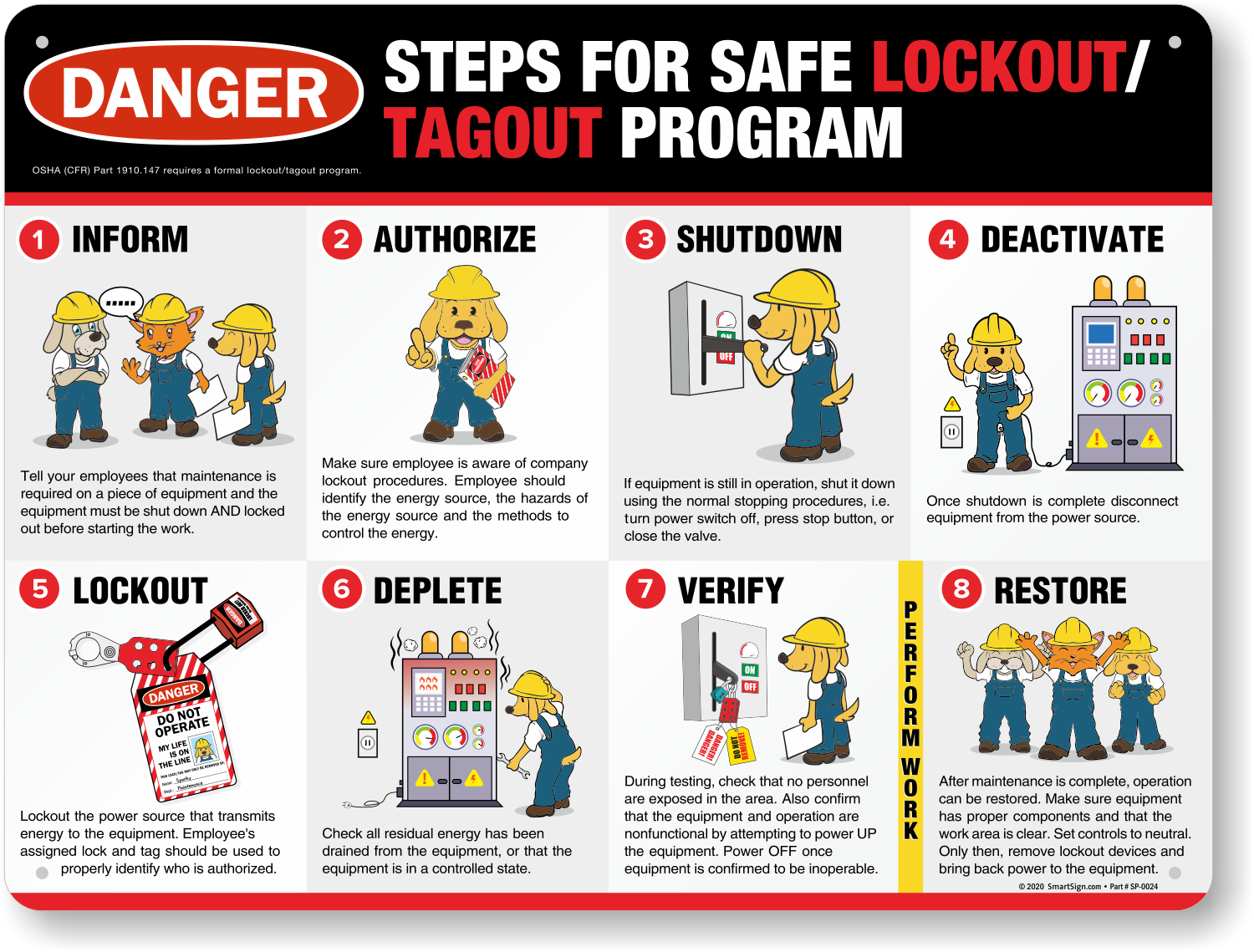
3. No integration with training records The form says “authorized employee,” but there’s no linked proof of training. OSHA requires documented training every three years—and cross-referencing forms with training logs is a common audit fail.
4. Assuming a form replaces a procedure The form supports the LOTO procedure—it doesn’t replace it. Skipping pre-job briefings or peer verification because “the form is done” defeats the entire system.
5. Storing PDFs in inaccessible folders “Where’s the LOTO for the extruder?” If the answer is “I think it’s in Sarah’s drive under ‘Safety Stuff,’ ” you’re not ready for an OSHA visit.
Where to Find Reliable Lockout Tagout Forms PDF
Not all templates are created equal. Some are outdated, incomplete, or misaligned with OSHA 29 CFR 1910.147. Use these trusted sources:
| Source | Strength | Limitation |
|---|---|---|
| OSHA.gov | Official, compliant, free | Generic—requires customization |
| NIOSH Workplace Solutions | Industry-specific examples | Limited selection |
| Industry associations (e.g., NFPA, ANSI) | Technical depth | Often require membership |
| EHS platforms (e.g., SafetyCulture, Inspire) | Editable, cloud-based PDFs | May require subscriptions |
| Manufacturing equipment manuals | Machine-specific | Not always provided |
When downloading a form, verify it includes: - A space for energy source mapping - A test-and-verify section - Sign-off for both application and removal - Fields for multiple workers on group lockouts
5 Practical LOTO Form PDF Templates You Can Use Today
Here are five real-world-ready templates, available as downloadable PDFs:
- OSHA-Compliant General LOTO Form (Free)
- From OSHA’s website or reputable EHS portals. Covers basic machinery. Best for small workshops or initial rollout.
- Group Lockout Tagout Form PDF
- Designed for maintenance teams. Tracks multiple locks, includes communication log, and requires supervisor release. Ideal for process plants.
- Electrical Isolation Certificate (PDF)
- Focused on electrical panels, switchgear, or substations. Includes voltage testing fields and PPE requirements.
- Hydraulic/Pneumatic System LOTO Form
- Adds bleed-down verification, pressure gauge readings, and mechanical blocking. Critical for manufacturing floors.
- Shift Transfer LOTO Form
- Manages ongoing lockouts across shifts. Includes handover signature, re-verification step, and time-stamped status.
Pro Tip: Rename downloaded PDFs with your site’s naming convention. Instead of “LOTO_Form_v3.pdf,” use “LOTO-Boiler-07-Filled_20250410.pdf.” It makes retrieval instant during audits.
How to Customize a LOTO Forms PDF for Your Facility
A template is a starting point. To make it effective, follow this workflow:
Step 1: Map Energy Sources Walk through each machine with maintenance and safety leads. List every energy input—main power, backup batteries, pressurized lines, gravity-fed components.
Step 2: Identify Isolation Points For each energy source, document the precise disconnect method: breaker number, valve tag, mechanical block location.

Step 3: Build the Form Use a PDF editor (e.g., Adobe Acrobat, PDFescape) to create fields that match your process. Add dropdowns for equipment type, checkboxes for energy sources.
Step 4: Test with a Crew Run a mock LOTO with your maintenance team. Can they complete the form in under 3 minutes? Are any fields confusing? Revise based on feedback.
Step 5: Link to Training Records Attach the form to your training management system. When an employee signs a LOTO, their training status should be automatically verified.
Digital vs. Paper LOTO Forms: What Works in 2025?
Paper PDFs are still common—but digital forms are rising fast. Here’s how they compare:
| Feature | Paper PDF | Digital Form |
|---|---|---|
| Real-time verification | No | Yes (with photo uploads, GPS) |
| Audit trail | Manual filing | Auto-saved with timestamps |
| Accessibility | On-site only | Anywhere via mobile |
| Integration | None | Links to CMMS, training systems |
| Error reduction | High risk of omissions | Validation rules prevent skips |
Case Example: A food processing plant switched from printed LOTO forms to a cloud-based system. Incident reports dropped 40% in one year. The key change? Technicians now upload a photo of the lock and tag before proceeding—verified in real time.
That said, digital isn’t always better. In remote or hazardous zones with no connectivity, a printed, laminated PDF with carbon copies remains the most reliable option.
Integrating LOTO Forms PDF into Your Safety Program
A form is only as strong as the system behind it. Here’s how to embed LOTO PDFs into daily operations:
- Store all forms in a central, searchable repository—Google Drive, SharePoint, or a dedicated EHS platform. Use consistent naming.
- Review completed forms monthly—look for missing verification steps or repeated errors.
- Include form use in audits—do random checks during maintenance shifts.
- Update forms annually—or whenever equipment changes.
- Train new hires using real form examples—not just theory.
One refinery runs quarterly “LOTO drills” where teams complete a full form under observation. The forms are then reviewed for compliance gaps. It’s training + documentation + audit in one exercise.
Final Step: Make Your Lockout Tagout Forms PDF Work for You
Don’t just download a LOTO form PDF and call it compliance. Customize it. Test it. Integrate it. Audit it.
The best forms do more than satisfy OSHA—they prevent incidents by guiding behavior. Whether you use a free template or a digital system, the goal is the same: clarity, consistency, and safety.
Download a reliable base template today, tailor it to your machinery, and make it part of your team’s routine. That’s not just compliance. That’s protection.
Frequently Asked Questions
Where can I get a free lockout tagout forms PDF? OSHA’s official website and trusted safety portals like NIOSH or Safety+Health offer free, compliant templates.
Can I edit a LOTO forms PDF? Yes, using tools like Adobe Acrobat, PDFescape, or online editors. Always save a locked master copy.
What is the difference between lockout and tagout? Lockout uses physical devices (locks) to isolate energy. Tagout uses warning tags—less secure and only allowed under specific conditions.
Who can sign a LOTO form? Only authorized employees trained in energy control procedures should complete or sign LOTO forms.
How long should I keep completed LOTO forms? OSHA doesn’t specify a duration, but best practice is to retain them for at least one year—or longer if part of an incident record.
Do I need a separate form for each machine? Not necessarily, but complex or high-risk equipment should have specific forms. Group similar machines under standardized templates.
Can a digital form replace a paper LOTO form? Yes, if it includes all required elements and creates a permanent, tamper-resistant record.
FAQ
What should you look for in Lockout Tagout Forms PDF – Free Templates & Best Practices? Focus on relevance, practical value, and how well the solution matches real user intent.
Is Lockout Tagout Forms PDF – Free Templates & Best Practices suitable for beginners? That depends on the workflow, but a clear step-by-step approach usually makes it easier to start.
How do you compare options around Lockout Tagout Forms PDF – Free Templates & Best Practices? Compare features, trust signals, limitations, pricing, and ease of implementation.
What mistakes should you avoid? Avoid generic choices, weak validation, and decisions based only on marketing claims.
What is the next best step? Shortlist the most relevant options, validate them quickly, and refine from real-world results.