Too many industrial accidents trace back to one flaw: incomplete or missing lockout tagout documentation. A lockout tagout documentation form isn't just paperwork—it's a legal and operational safeguard that proves energy isolation procedures were followed. When done right, it protects workers, satisfies OSHA audits, and prevents costly downtime. When done wrong, it becomes evidence in an investigation.
This article cuts through the compliance noise and focuses on what actually matters: creating, using, and managing effective lockout tagout documentation forms that hold up under scrutiny.
Why a Lockout Tagout Documentation Form Is Non-Negotiable
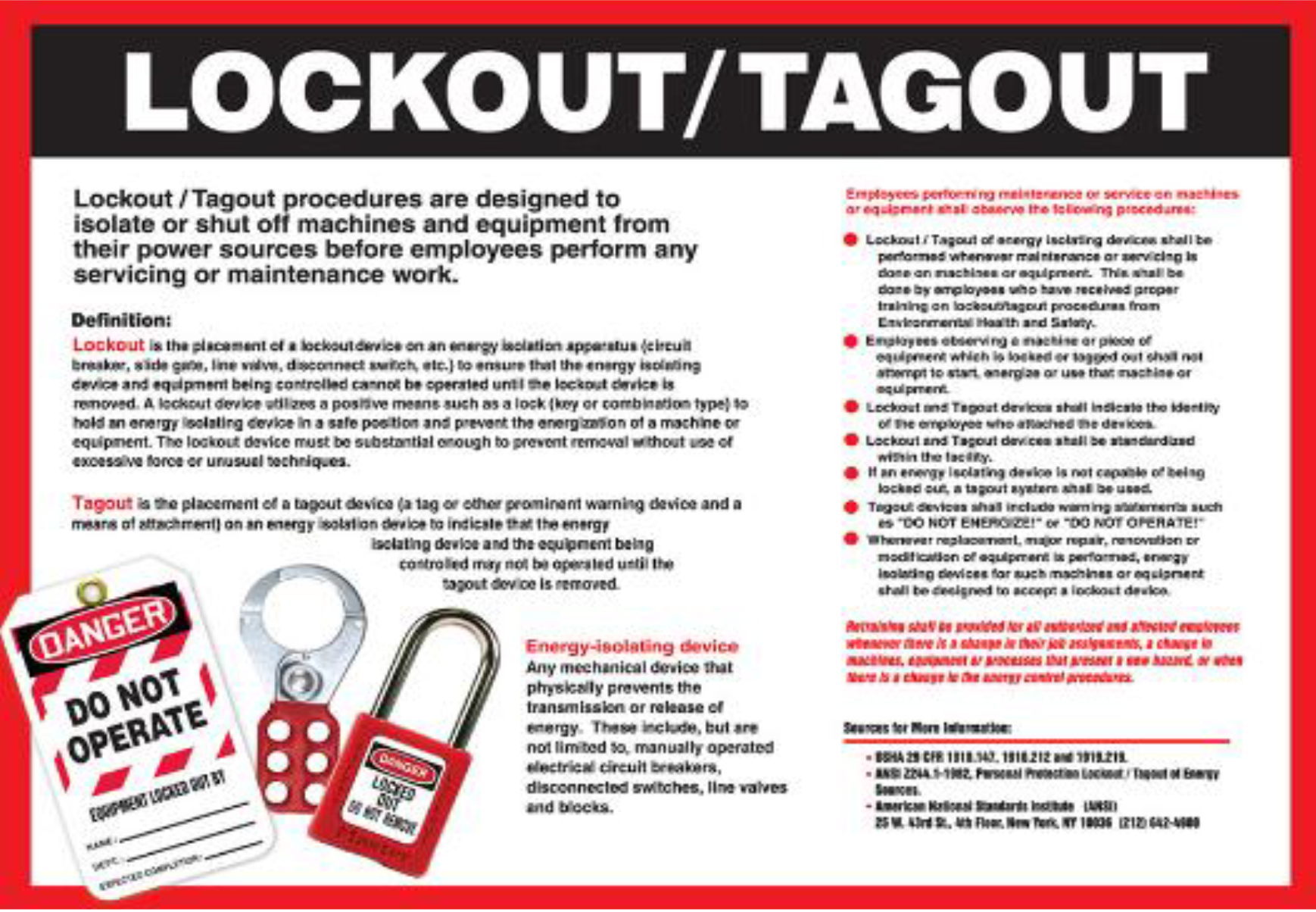
A lockout tagout (LOTO) documentation form is the written record that a machine or equipment has been properly de-energized before service or maintenance. It verifies that all hazardous energy sources—electrical, hydraulic, pneumatic, chemical, or mechanical—were identified, isolated, and secured using locks and tags.
Without this form, there’s no verifiable proof that safety procedures were followed. That’s a liability.
OSHA standard 29 CFR 1910.147 requires employers to develop a written energy control program, including documentation of each service event. The documentation form is the centerpiece of that requirement.
Consider this real-world scenario: A technician services a conveyor belt without completing a LOTO form. The machine starts unexpectedly. The technician is injured. During the OSHA investigation, no documentation exists to show whether proper isolation steps were taken. The company faces fines, legal exposure, and reputational damage.
The form prevents that.
It’s not about bureaucracy—it’s about accountability.
Core Components of an Effective LOTO Documentation Form
A strong lockout tagout documentation form must be detailed enough to reconstruct the entire control process, yet simple enough for field use. Here’s what it must include:
#### 1. Equipment Identification Clearly state the machine name, ID number, and location. Vague labels like “mixer” or “pump” aren’t enough. Use asset tags or serial numbers for traceability.
#### 2. Authorized Personnel List the name and signature of the authorized employee performing the lockout. Include contact information and role. Multiple workers? List them all.
#### 3. Date and Time Stamps Record when lockout began and when it was removed. This helps track shift changes, overlap, and duration of exposure.
#### 4. Energy Sources Isolated Detail each energy source controlled: - Electrical breaker #12 (480V) - Hydraulic line (valve closed and bled) - Pneumatic supply (isolated at main shutoff)
Use checkboxes or free-form fields—just ensure each source is explicitly named.

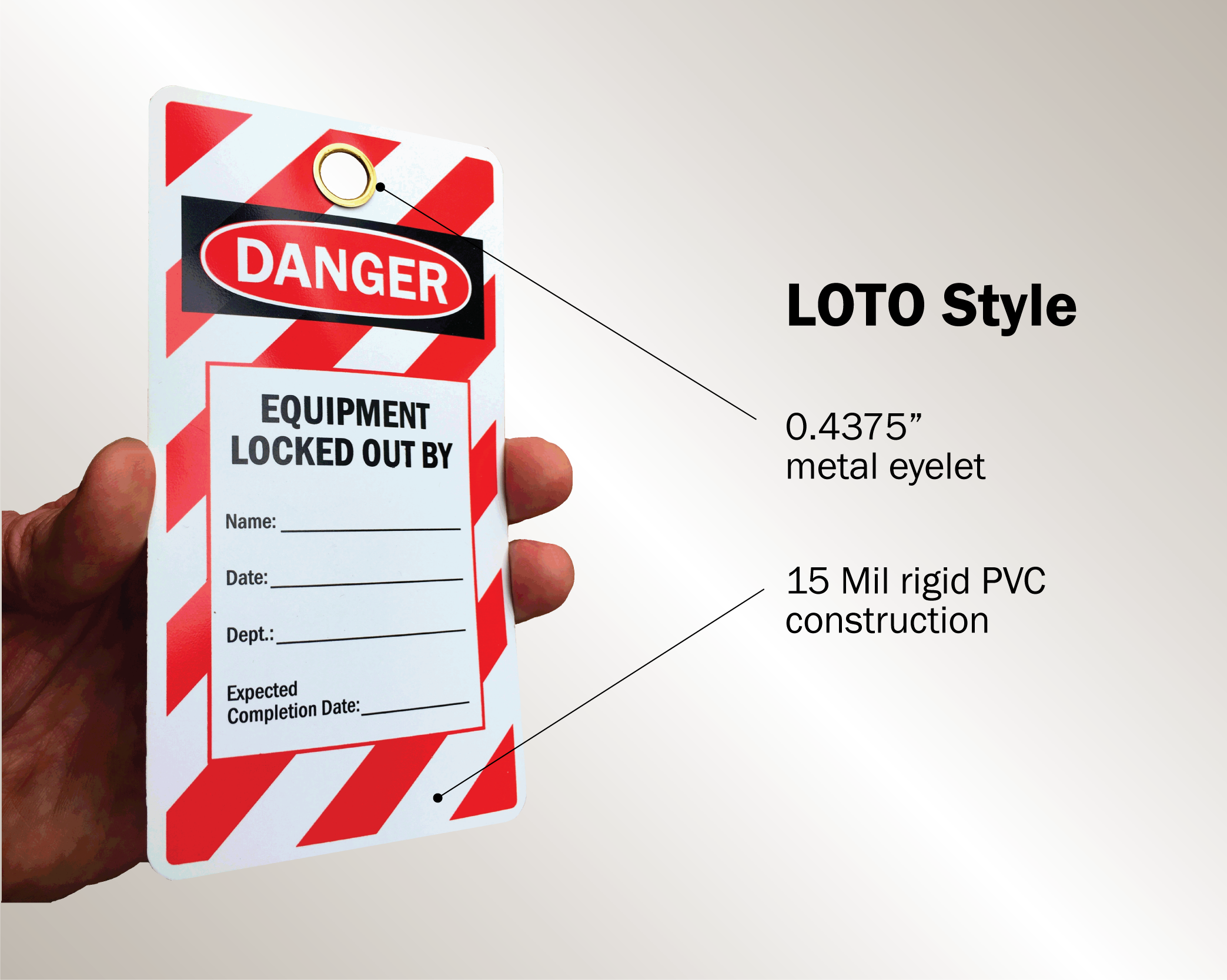
#### 5. Lock and Tag Inventory List each lock applied: - Lock ID: LK-023 - Owner: J. Rivera - Location: Main power disconnect
Tag details should include warnings like “Do Not Operate – Maintenance in Progress” and expiration dates if applicable.
#### 6. Verification of Zero Energy This is non-negotiable. The form must confirm that the authorized employee tested the equipment to ensure it cannot restart. Include a checkbox or short description: “Tested start button—no response.”
#### 7. Unlock and Restore Authorization When maintenance ends, the same employee who applied the lock must remove it. Document the removal time and signature. Never allow “group unlock” without proper verification.
Common Mistakes That Undermine LOTO Documentation
Even experienced teams make errors that compromise safety and compliance. Avoid these:
1. Incomplete Forms Leaving fields blank—especially energy source details or verification steps—invalidates the record. A form with “various” energy sources listed is useless.
2. Delayed Documentation Filling out the form after the work is done defeats its purpose. It should be completed in real time, step by step.
3. Using Generic Templates One-size-fits-all forms don’t work. A press brake has different energy sources than a boiler. Customize forms per equipment type.
4. No Audit Trail If forms aren’t stored or retrievable, they might as well not exist. Digital systems with timestamps and access logs are superior to paper bins.
5. Unauthorized Signature Delegation “John signed for me—he was busy.” That’s a violation. Only the individual applying or removing a lock signs.
Paper vs. Digital: Choosing the Right Format
The medium matters. Paper forms are familiar but prone to loss, damage, and forgery. Digital solutions offer better control, but adoption depends on workflow.
| Feature | Paper Forms | Digital Forms |
|---|---|---|
| Accessibility | On-site only | Cloud-based, real-time access |
| Data Integrity | Easily altered | Version-controlled, tamper-proof |
| Audit Readiness | Requires manual filing | Instant export, searchable |
| Workflow Integration | Low | Can integrate with CMMS, ERP |
| Training Curve | Minimal | Requires device access and training |
For small shops with predictable maintenance, paper may suffice—if rigorously managed. For larger operations, or those with remote or rotating teams, digital forms are the smarter long-term investment.
5 Practical Use Cases for LOTO Documentation Forms
Real-world application reveals how these forms prevent disaster:
1. Preventive Maintenance on a CNC Machine A technician isolates 480V power and hydraulic pressure. The form lists each lock, test method, and confirms zero energy. Supervisors review the completed form before resuming production.
2. Contractor Work in a Chemical Plant An outside vendor services a reactor. The LOTO form includes a dual-signature section: one for the contractor, one for the site safety officer. This ensures both parties verify isolation.
3. Shift Changeover During Extended Repair Maintenance spans two shifts. The outgoing technician documents all locks applied. The incoming tech reviews and re-signs, confirming continuity.
4. Emergency Bypass with Override Justification A critical machine must be briefly re-energized for diagnostics. The form includes an override section: reason, duration, safety precautions, and dual approval.
5. Annual Compliance Audit Safety managers pull 12 months of LOTO forms. Digital records are exported in minutes. Paper forms take hours to locate—some are missing. The gap triggers a process overhaul.
How to Design a LOTO Documentation Form That Works
Start with OSHA’s requirements, then tailor for usability.
Step 1: Map Equipment-Specific Hazards Create a master list of energy sources for each machine. Involve maintenance and safety teams.
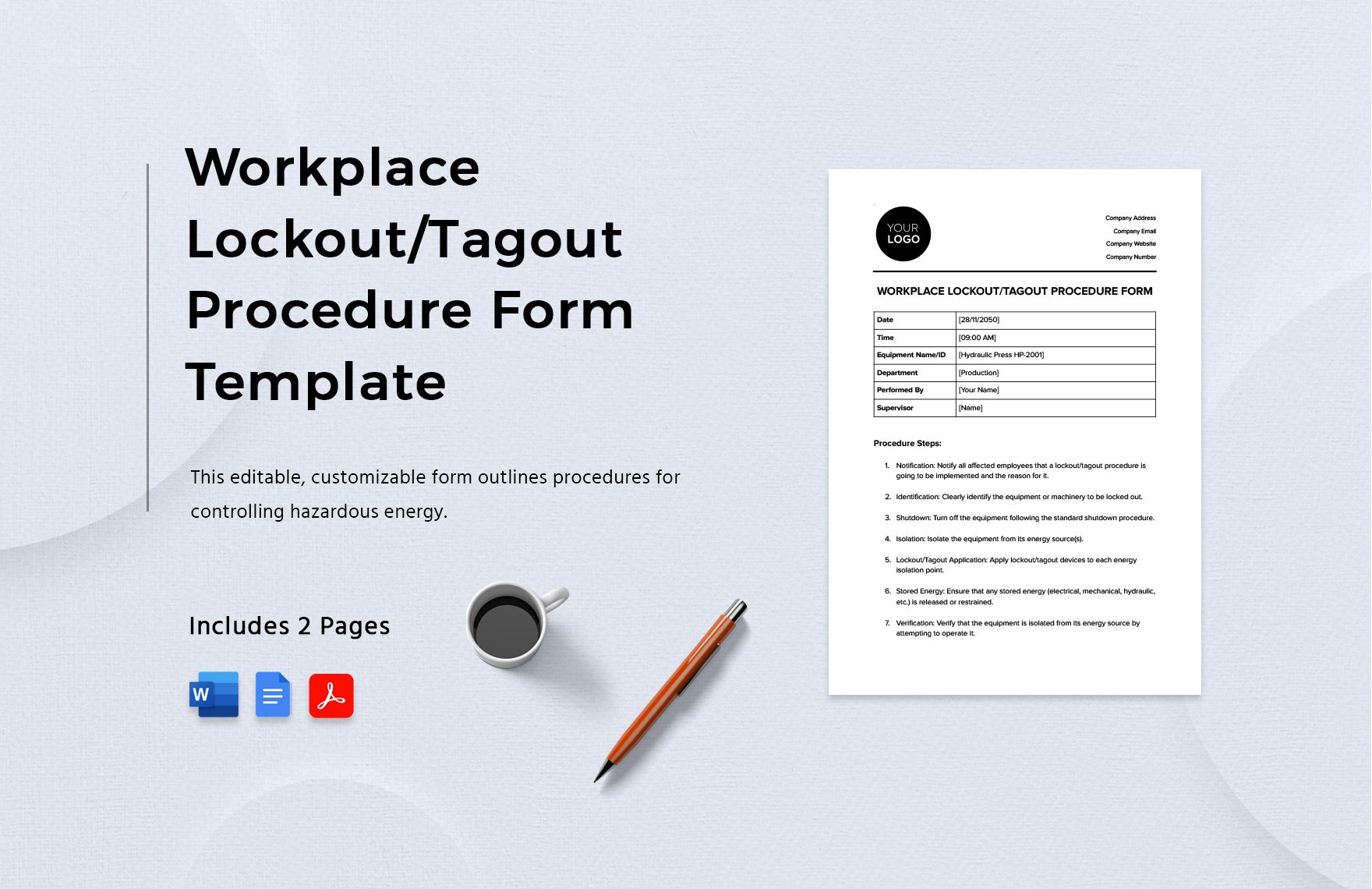
Step 2: Build a Custom Form Template Use a fillable PDF or form builder. Include: - Equipment photo or diagram (optional but helpful) - Predefined energy source checklist - Signature fields with digital pen support
Step 3: Train and Test Run a pilot with three common maintenance tasks. Gather feedback. Is it too long? Confusing? Adjust accordingly.
Step 4: Integrate with Procedures Link the form to your written LOTO program and machine-specific energy control procedures (MECPs).
Step 5: Audit Monthly Randomly review 10% of completed forms. Look for consistency, completeness, and accuracy.
Top 5 Tools for Managing LOTO Documentation
For teams ready to modernize, these platforms streamline documentation:
- LockOutTagOut.com (by Brady)
- Web-based LOTO management with customizable digital forms, audit trails, and OSHA-compliant templates. Best for mid-sized manufacturers.
- Dude Solutions – MaintenanceEdge
- CMMS with integrated LOTO workflows. Automatically generates documentation during work order completion. Ideal for facilities with existing maintenance systems.
- Fiix by Rockwell Automation
- Cloud-based CMMS with mobile LOTO forms. Syncs with asset histories. Strong for teams already using Rockwell controls.
- SafetyChain
- Focuses on food and pharma compliance. Includes LOTO documentation with traceability for regulatory audits. Excellent for highly regulated environments.
- GoCodes – LOTO Module
- Combines QR-coded lock tracking with digital forms. Scan a lock, fill the form, and archive. Great for decentralized or mobile teams.
Each offers free trials. Test one against your most common maintenance scenario.
The Bottom Line: Documentation Is a Safety Control
A lockout tagout documentation form isn’t a formality—it’s a failure point detector. It forces deliberate action, creates a chain of responsibility, and provides evidence when it matters most.
If your current form is generic, hard to access, or rarely completed, it’s not protecting anyone.
Update it. Train on it. Audit it.
Make it part of your safety DNA.
Frequently Asked Questions
What should be included in a lockout tagout documentation form? It must include equipment ID, authorized personnel, energy sources isolated, locks and tags used, verification of zero energy, and signatures for lock application and removal.
Who is responsible for completing the LOTO form? The authorized employee performing the service or maintenance must complete and sign the form.
Can multiple people use the same LOTO form? Yes, in group lockout scenarios. Each worker applies their lock, signs the form, and verifies isolation. One authorized employee coordinates the process.
How long should LOTO documentation be kept? OSHA doesn’t specify a retention period, but best practice is at least one year. Some industries keep records for 3–5 years for audit and legal protection.
Are digital LOTO forms OSHA-compliant? Yes, as long as they are secure, tamper-proof, and include all required elements. Digital systems often exceed paper in compliance readiness.
Can a LOTO form be modified during use? Only in emergencies, with clear override justification documented. Unauthorized changes invalidate the form.
What happens if a LOTO form is missing? The lockout procedure is considered incomplete. OSHA may treat it as a violation, especially if an incident occurs.
FAQ
What should you look for in Lockout Tagout Documentation Form Essentials? Focus on relevance, practical value, and how well the solution matches real user intent.
Is Lockout Tagout Documentation Form Essentials suitable for beginners? That depends on the workflow, but a clear step-by-step approach usually makes it easier to start.
How do you compare options around Lockout Tagout Documentation Form Essentials? Compare features, trust signals, limitations, pricing, and ease of implementation.
What mistakes should you avoid? Avoid generic choices, weak validation, and decisions based only on marketing claims.
What is the next best step? Shortlist the most relevant options, validate them quickly, and refine from real-world results.