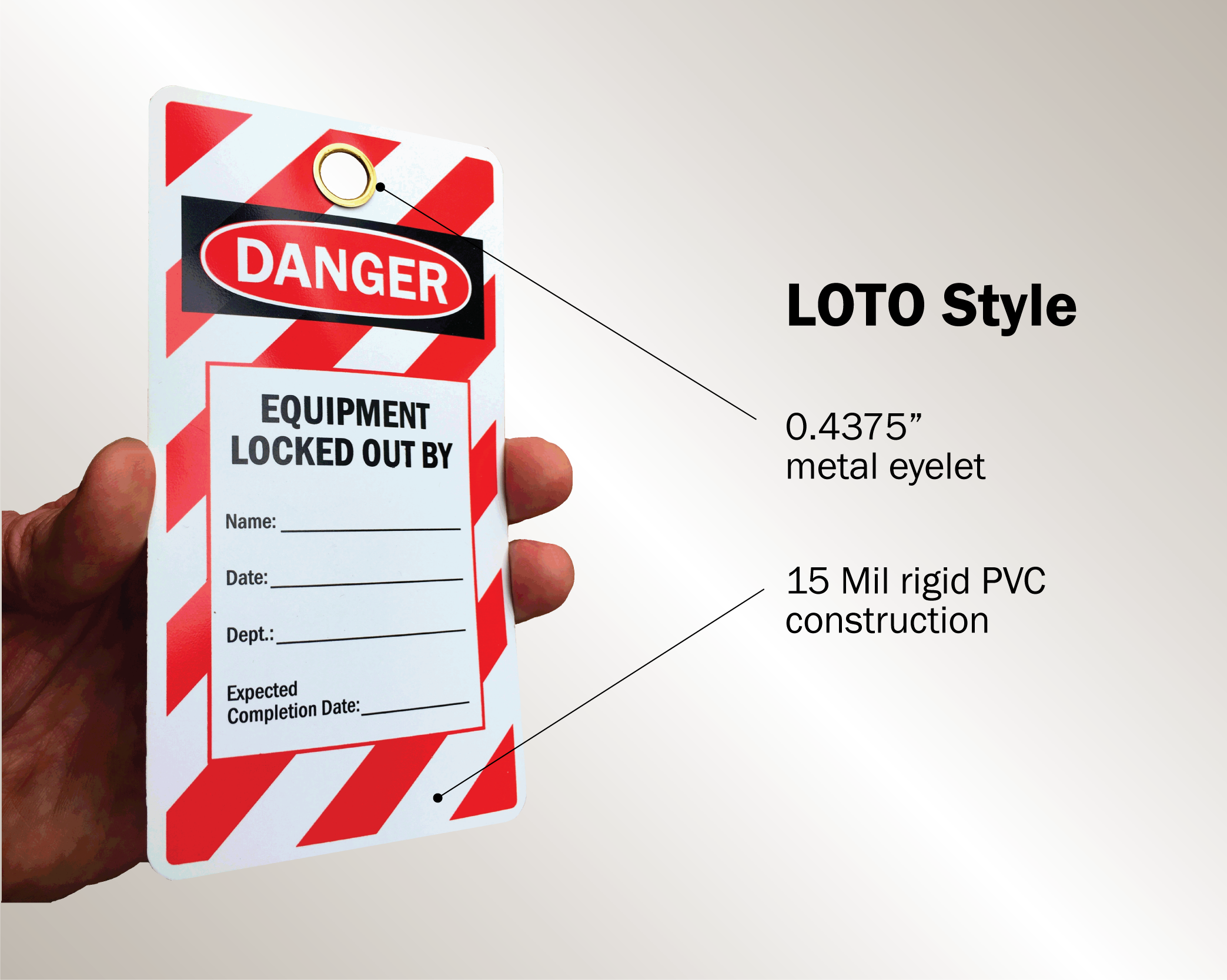
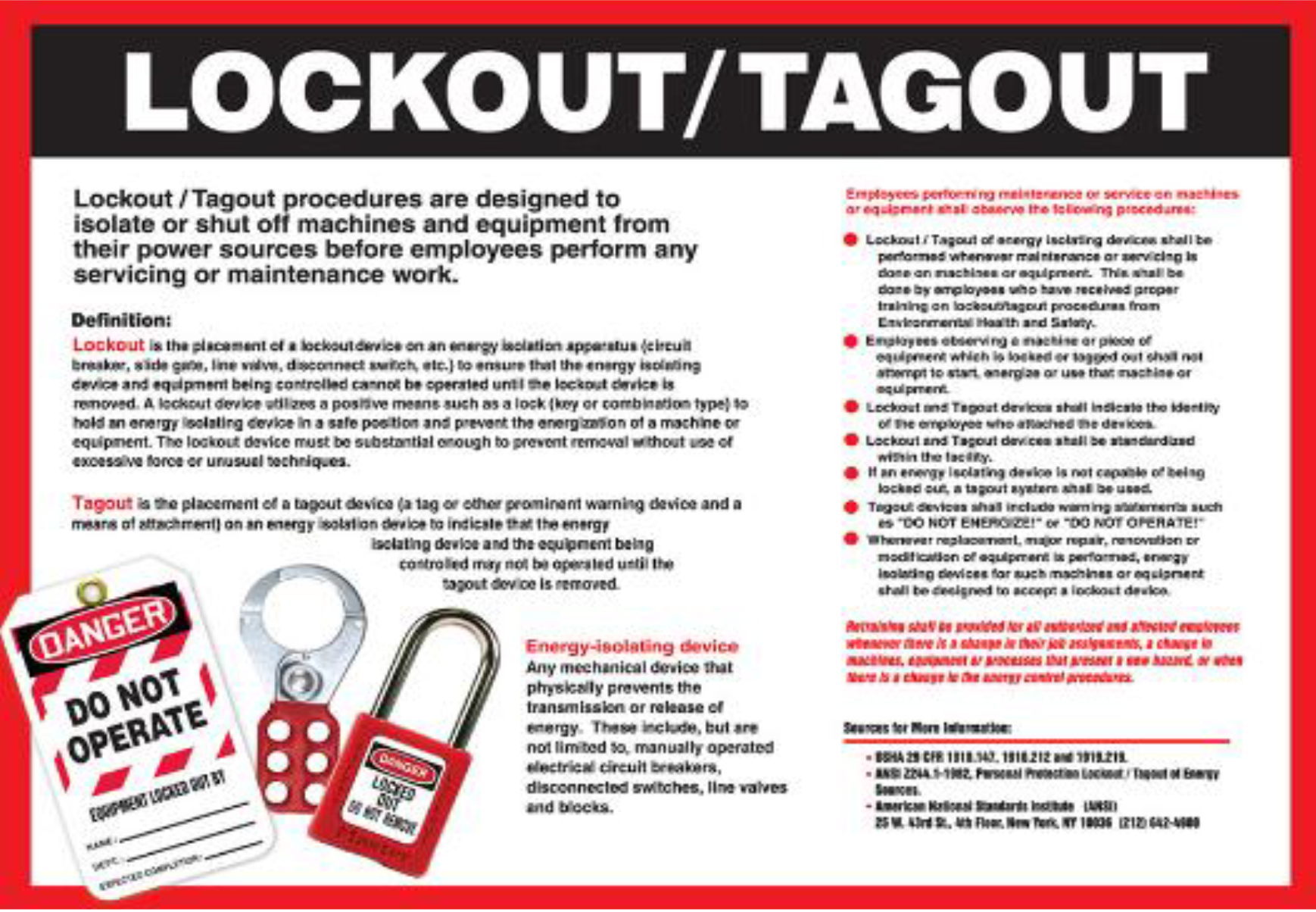
Machines don’t warn before they start. That split-second restart during maintenance kills. Every year, hundreds of workers suffer severe injuries—or worse—because energy wasn’t properly isolated. The fix? A clear, standardized, and accessible lockout tagout (LOTO) procedure. And at the heart of every effective program: printable lockout tagout forms.
These aren’t just administrative documents. They’re frontline safety tools. When designed correctly and used consistently, they turn complex compliance into actionable, auditable steps—right on the shop floor.
Why Printable LOTO Forms Are Non-Negotiable
OSHA’s standard 29 CFR 1910.147 requires employers to have an energy control program. One of its core requirements? Documentation. That means written procedures, employee training records, and periodic inspections—all of which rely on structured forms.
Printable LOTO forms serve multiple critical functions:
- Standardize procedures across shifts and teams
- Document accountability with clear signatures and timestamps
- Support audits with physical or digitized records
- Enable training through real-world examples
- Reduce human error by guiding users step-by-step
Without them, even the best-trained technician might skip a valve or misidentify an energy source. A one-page form can literally save a life.
What Makes a LOTO Form Effective?
Not all printable forms are created equal. Many free templates online look professional but fail in practice. Here’s what separates useful forms from decorative clutter:
Clarity Over Completeness
A form packed with 30 fields looks thorough—but if workers skip half due to complexity, it’s dangerous. Prioritize essential data:
- Machine or equipment ID
- Type of energy sources (electrical, hydraulic, pneumatic, etc.)
- Authorized employee name and signature
- Date and shift
- Lock and tag placement checklist
- Verification of zero energy
Extra fields like department, supervisor, or maintenance notes can be included, but only if they add value without slowing down use.
Visual Structure Matters
Use bullet points, checkboxes, and bold headers. A worker in a noisy plant with gloves on shouldn’t have to parse dense paragraphs. For example:
Energy Sources Present ☐ Electrical (Circuit Breaker #12) ☐ Hydraulic (Valve Closed at Pump Station A) ☐ Pneumatic (Bleed Valve Opened) ☐ Gravity (Load Secured)
This format is faster to complete and easier to verify.
Fit for the Environment
Print on durable paper or laminate if used in wet, oily, or high-traffic areas. Consider clipboards with weather-resistant sleeves. If your facility uses mobile devices, ensure the form prints cleanly from a tablet or phone.
Common Mistakes That Undermine LOTO Forms
Even with the right form, misuse is common. These pitfalls erode safety:
1. Using a Generic Template for All Equipment
One form doesn’t fit all. A conveyor system has different isolation points than a hydraulic press. Customize forms for critical or high-risk machines. At minimum, include a field for “specific energy points isolated.”
2. Skipping the Verification Step
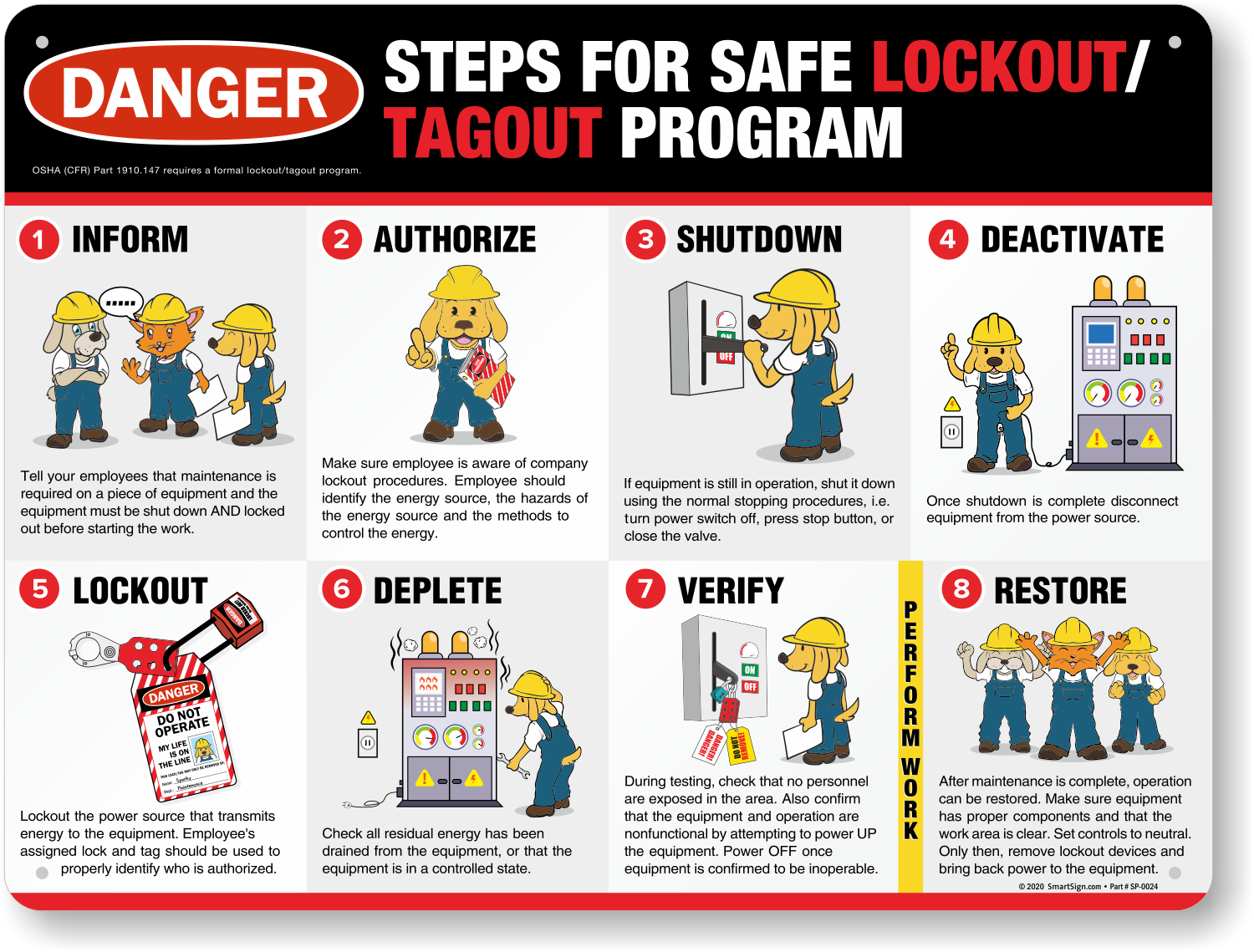
The form must include a space for verification—not just listing isolation steps, but confirming that energy is zero. Example: > “Tested circuit with multimeter—zero voltage confirmed.” Without this, the procedure is incomplete.
3. Allowing Blank or Illegible Entries
Enforce legibility. If a form is smudged, missing a signature, or vague (“locked out”), it’s invalid. Make it policy to reject incomplete forms during audits.
4. Not Updating After Machine Modifications
If a machine is retrofitted or relocated, the LOTO procedure must be reviewed. Outdated forms create dangerous assumptions.
5 Reliable Sources for Printable LOTO Forms
While you can design your own, starting with a proven template saves time and reduces compliance risk. Here are five trusted sources offering high-quality, printable lockout tagout forms:
| Source | Form Type | Key Features | Format | Cost |
|---|---|---|---|---|
| OSHA.gov | Basic LOTO Procedure | OSHA-compliant outline, minimal fields | Free | |
| Grainger | Equipment-Specific Templates | Pre-filled for common machinery | PDF, editable | Free with registration |
| SafetySign.com | Customizable Kits | Includes forms, tags, and training guides | Bundle | $49+ |
| Creative Safety Supply | Industry-Specific Forms | Options for manufacturing, labs, HVAC | PDF, editable | Free |
| NIOSH Workplace Solutions | Best Practice Models | Risk assessment integration | Free |
Each offers downloadable, print-ready forms. Grainger and Creative Safety Supply stand out for providing editable versions—critical if you need to add company logos, internal codes, or site-specific instructions.
How to Implement Printable Forms in Your LOTO Program
Having forms isn’t enough. They must be integrated into daily operations:
Step 1: Match Forms to Equipment
Identify high-risk machines and assign dedicated LOTO procedures. Use a master list that links each machine to its form number.
Step 2: Train
with the Actual Form
During training, walk employees through filling out the form using the real equipment. Don’t just show a slide—make them complete it on-site.
Step 3: Store Forms Accessibly
Place printed forms at or near equipment lock stations. Use labeled binders or wall pockets. Digital access (e.g., QR codes on machines) is growing, but printed backup is essential during power outages.
Step 4: Audit
with the Form as Evidence
During periodic inspections (required annually by OSHA), use the completed forms as part of your review. Check for:
- Consistent use across teams
- Correct identification of energy sources
- Verification entries
- Signatures from authorized personnel
If forms are missing or poorly filled, retrain immediately.
Real-World Use Cases
Case 1: Manufacturing Plant Reduces Lockout Errors by 70%
A Midwest auto parts factory introduced machine-specific LOTO forms with visual checklists. Before, technicians relied on memory. After six months, near-misses during maintenance dropped from 12 to 3 per quarter. The clear, printable forms became part of the pre-shift safety briefing.
Case 2: Food Processing Facility Fails OSHA Audit
Inspectors found incomplete LOTO records—forms with missing verification steps, vague descriptions like “main power off,” and unsigned documents. The facility was fined and mandated to revise all procedures using standardized, printable templates. They now use laminated forms at each line with carbon-copy duplicates for recordkeeping.

Case 3: Hospital Biomedical Team Adopts Hybrid Approach For medical equipment maintenance, the team uses printable LOTO forms but scans completed copies into their CMMS (Computerized Maintenance Management System). This ensures compliance with both OSHA and Joint Commission standards, while keeping records searchable.
Designing Your Own Printable LOTO Form
Want full control? Build your own. Use this framework:
Header Section - Company Name
- Equipment: [Line or Machine Name]
- Form ID: [Unique Number]
Step 1: Preparation - Authorized Employee: ______________ - Date / Shift: ________ - Notify affected personnel: ☐ Yes
Step 2: Shut Down - Normal shutdown procedure followed: ☐ - Machine/model number: ______________
- Step 3: Isolate Energy Sources List each source and control method:
- Electrical – Disconnect at breaker #_____, lock applied
- Hydraulic – Valve closed and bled at __________
- Pneumatic – Isolate at main line, pressure released
Step 4: Apply Locks and Tags - Number of locks applied: ___ - Lock IDs: ___________________ - Tags include: Employee name, department, reason, date
Step 5: Verify Zero Energy - Attempted start-up test: ☐ (explain method) - Verified by: ______________ (signature)
Step 6: Release Procedure - Work completed: ☐ - Guards reinstalled: ☐ - Clearance confirmed: ☐ - Locks removed by: ______________ (signature)
Bottom Bar - Next review date: __________ - Last updated: __________
This structure meets OSHA requirements and supports real-world use.
Final Thoughts: Forms as Safety Infrastructure
Printable lockout tagout forms are more than paperwork—they’re engineered safeguards. Like a seatbelt or hard hat, they only work when used correctly, every time.
Choose or design forms that are simple, machine-specific, and built for the environment. Train with them. Audit against them. Treat each filled form as evidence of a life protected.
Start today: download a template, customize it for your highest-risk equipment, and place it where it’s needed most. Safety isn’t just policy—it’s practiced one form at a time.
How do I make a lockout tagout form? Use a clear structure with machine ID, energy sources, isolation steps, verification, and signatures. Start with an OSHA-compliant template and customize for your equipment.
Are printable LOTO forms OSHA-compliant? Yes, if they include all required elements: equipment details, energy control steps, verification, and employee sign-off.
Can I use digital LOTO forms instead? Yes, but printable versions must be available as backup. Some facilities use both, with digital for records and printed for on-site use.
Who fills out the LOTO form? Only authorized employees—those trained to recognize energy sources and apply controls—should complete the form.
How long should completed LOTO forms be kept? Retain for at least one year, or longer if required by internal policy or industry standards.
Do I need a separate form for each machine? For high-risk or complex equipment, yes. Simpler machines may share generic forms, but customization improves accuracy.
Where should LOTO forms be stored? Near the equipment, in lockout stations, or in accessible binders. Digital access (QR codes, tablets) is acceptable if reliable.
FAQ
What should you look for in Printable Lockout Tagout Forms for Workplace Safety? Focus on relevance, practical value, and how well the solution matches real user intent.
Is Printable Lockout Tagout Forms for Workplace Safety suitable for beginners? That depends on the workflow, but a clear step-by-step approach usually makes it easier to start.
How do you compare options around Printable Lockout Tagout Forms for Workplace Safety? Compare features, trust signals, limitations, pricing, and ease of implementation.
What mistakes should you avoid? Avoid generic choices, weak validation, and decisions based only on marketing claims.
What is the next best step? Shortlist the most relevant options, validate them quickly, and refine from real-world results.